 |
Gaia-ECS v1.0.0
A simple and powerful entity component system
|
|
Gaia-ECS v1.0.0
A simple and powerful entity component system
|




Gaia-ECS is a fast, ergonomic C++17 ECS framework designed to be the option you can actually learn in an afternoon without reading a manual the size of a novel. You get complex queries with relationship traversal, per-component AoS/SoA layouts, integrated serialization, and multithreading with job dependencies — all behind an API that stays out of your way.
Highlights:
Quality:
NOTE: Due to its extensive use of acceleration structures and caching, this library is not a good fit for hardware with very limited memory resources (measured in MiBs or less). Micro-controllers, retro gaming consoles, and similar platforms should consider alternative solutions.
Entity-Component-System (ECS) is an architectural pattern that organizes code around data rather than objects, following the principle of composition over inheritance.
Instead of modeling your program around real-world objects (car, house, human), you think in terms of the data needed to achieve a result. When moving something from A to B you don't care if it's a car or a plane — you only care about its position and velocity. This makes code easier to maintain, extend, and reason about, while also being more naturally suited to how modern hardware works.
Think of ECS as a database engine without ACID constraints — optimized for latency and throughput beyond what a general-purpose database could achieve, at the cost of data safety guarantees. Queries over entities are fast by design, and data locality is a first-class concern rather than an afterthought.
The three building blocks are:
A vehicle is any entity with Position and Velocity. Add Driving and it's a car. Add Flying and it's a plane. The movement systems only care about the components they need — nothing else.
Gaia-ECS supports table storage and sparse storage for components. Table storage is implemented with archetypes: unique combinations of components are grouped into archetypes — think of them as database tables where components are columns and entities are rows.
Each archetype is made up of chunks: fixed-size allocation blocks selected per archetype from a small set of size classes. Compact archetypes use small cache-friendly chunks, while wider dense archetypes can use larger chunks to reduce per-chunk iteration overhead. Components of the same type are laid out linearly within a chunk, minimizing heap allocations and keeping iteration cache-friendly.
The main strengths of this layout are fast iteration, predictable memory usage, and natural parallelism. The tradeoff is that adding or removing fragmenting ids requires moving data between archetypes — mitigated here by an archetype graph and support for batched component changes.
Gaia-ECS also supports selected component data living outside chunk columns when a different tradeoff is needed. That keeps the main archetype path optimized for dense iteration while still allowing more dynamic, optional, or less cache-sensitive data to use a different storage path.
Queries are compiled into bytecode and executed by an internal virtual machine, ensuring only the complexity your query actually needs is paid for.
Components are themselves entities with a Component tag attached. Treating components as first-class entities is what enables relationships and keeps the overall design orthogonal — the same mechanisms that handle entities handle components, without special cases.
The entire project is implemented inside gaia namespace. It is further split into multiple sub-projects each with a separate namespaces.
core - core functionality, use by all other parts of the codemem - memory-related operations, memory allocatorscnt - data containersmeta - reflection frameworkser - serialization frameworkmt - multithreading frameworkecs - the ECS part of the projectThe project has a dedicated external section that contains 3rd-party code. At present, it only includes a modified version of the robin-hood hash-map.
The entire framework is placed in a namespace called gaia. The ECS part of the library is found under gaia::ecs namespace.
In the code examples below we will assume we are inside gaia namespace.
Entity a unique "thing" in ecs::World. Creating an entity at runtime is as easy as calling World::add. Deleting is done via World::del. Once deleted, entity is no longer valid and if used with some APIs it is going to trigger a debug-mode assert. Verifying that an entity is valid can be done by calling World::valid.
It is also possible to attach entities to entities. This effectively means you are able to create your own components/tags at runtime.
Each entity can be assigned a unique name. This is useful for debugging or entity lookup when entity id is not present for any reason.
If you already have a dedicated string storage it would be a waste to duplicate the memory. In this case you can use World::name_raw to name entities. It does NOT copy and does NOT store the string internally which means you are responsible for its lifetime. The pointer, contents, and length must stay stable while the raw name is registered. Otherwise, any time your storage tries to move or rewrite the string you have to unset the name before it happens and set it anew after the change is done.
Hierarchical name lookup is also possible.
Hierarchical entity lookup follows direct ChildOf links and direct non-fragmenting Parent links. Use ChildOf when the hierarchy should participate in archetype identity, and use Parent when you need non-fragmenting hierarchy edges.
Character '.' (dot) is used as a separator. Therefore, dots can not be used inside entity names.
World::name gives an entity its normal world name. World::alias gives an entity one extra lookup name. World::get is the normal lookup entry point. It first tries ordinary entity names, including hierarchical paths such as gameplay.render, and then falls back to component lookup rules when the string does not name an entity directly.
Names and aliases are both unique lookup keys. A name is the entity’s canonical world name and participates in hierarchy. An alias is an extra flat lookup key that does not change the entity’s place in that hierarchy.
Components add a few extra naming helpers because they need more than one identity. A component symbol is the stable C++ identity, such as gameplay_render::Position. A component path is the scoped lookup name, such as gameplay.render.Position. A display name is the prettier label you would prefer to show in logs and tools.
Most code should just use World::get. Use a name when the entity should live in the normal world hierarchy. Use an alias when you want one extra flat lookup key without changing that hierarchy. Use a symbol when you need a stable component identity, for example in semantic JSON. Use a path when you want to refer to a component by its place in the ECS scope hierarchy. If a name does not resolve the way you expect, World::resolve(out, name) collects every entity the world naming rules can see for that string.
World::scope(scope) sets the current component scope and returns the previous one. World::scope(scope, func) does the same thing for the duration of one callable and restores the old scope afterwards.
World::lookup_path(scopes) sets an ordered list of lookup scopes used for unqualified component lookup. Each scope is searched like a temporary component scope: the scope first, then its parents. World::lookup_path() returns the current list.
The scope entity and its ChildOf ancestors should have names, because Gaia-ECS builds the scoped path from that entity hierarchy. New components registered while a scope is active use that scope to build their default path name.
For example, registering Position while the current component scope is the entity path gameplay.render gives the component the path name gameplay.render.Position.
Unqualified component lookup checks the active scope first, then walks up parent scopes, then searches each lookup-path scope in order while also walking up its parents, then falls back to global exact symbol lookup, global path lookup, global unique short-symbol lookup, and finally alias lookup. That means a lookup from gameplay.render can still find gameplay.Position when there is no closer match in gameplay.render, a lookup path such as {tools, render} can prefer gameplay.tools.Device before falling back to gameplay.Device, and a bare "Position" can resolve globally when that short symbol is unique.
String queries follow the same rules, but they capture the active scope and lookup path when the query expression is parsed. In practice that means w.scope(render, [&] { q.add("Position"); }); or w.lookup_path(scopes); q.add("Position"); resolve Position while add(...) runs, store the resulting component id in the query, and will not be rewritten later if the scope or component naming metadata changes. If a query uses a bare short name such as "Position", that global fallback only works when the short symbol is unique.
Scoped component registration looks like this:
If you prefer creating named scopes directly from strings, World::module(module_path) creates or reuses the named ChildOf chain and returns the deepest scope entity. You can then pass that entity to World::scope(...) explicitly when you want to activate it.
World::module(...) only creates or finds the scope hierarchy. World::scope(...) is the step that makes registration and relative lookup happen inside that scope.
Gaia-ECS provides two component storage modes:
Storage mode only determines where the payload lives. It does not determine whether the component id participates in archetype identity. A component using sparse storage still changes the entity's archetype when it is added or removed.
For a typed C++ component, the storage policy can be declared with GAIA_STORAGE:
GAIA_STORAGE(Table) is the default and usually does not need to be written. A typed component's declared policy is authoritative: adding ecs::Sparse or ecs::DontFragment to a typed table component does not change its storage. Runtime component descriptors can still select their storage mode before instances are attached.
ecs::DontFragment controls archetype membership, not payload storage. It keeps the component id outside the entity's archetype, so adding or removing the component does not move the entity between archetypes. Typed non-fragmenting components must declare GAIA_STORAGE(Sparse) because table payloads require an archetype column.
The resulting configurations are:
| Typed declaration and traits | Storage mode | Component id | Add/remove changes archetype |
|---|---|---|---|
GAIA_STORAGE(Table) | Table | In archetype | Yes |
GAIA_STORAGE(Sparse) | Sparse | In archetype | Yes |
GAIA_STORAGE(Sparse) + DontFragment | Sparse | Outside archetype | No |
Rule of thumb:
Sparse when the payload needs a stable address, but the component should still participate in archetype identity.GAIA_STORAGE(Sparse) with DontFragment for frequently toggled typed optional state such as cooldowns, temporary status effects, markers, or runtime tool state.Position or Velocity that benefit from sequential table access, unless profiling justifies it.Directly adding or removing an already-registered DontFragment component is safe during serial query iteration because the entity does not move to another archetype. If the active query filters on that component, later rows are matched against the current world state rather than a snapshot taken before iteration.
>NOTE:
SoA components do not support sparse storage and remain in table storage. GAIA_STORAGE(Sparse) and ecs::Sparse apply only to plain AoS generic components.
>NOTE:
Runtime component storage and fragmentation traits must be set before the component has instances attached to entities. They do not override a typed component's GAIA_STORAGE policy.
>NOTE:
Once a component is marked ecs::Sparse or ecs::DontFragment, it stays that way. Both entities carry the ecs::Requires trait.
Whether or not a certain component is associated with an entity can be checked in two different ways. Either via an instance of a World object or by the means of Iter which can be acquired when running queries.
Providing entities is supported as well.
Components can be created using World::add<T> This function returns a descriptor of the object which is created and stored in the component cache. Each component is assigned one entity to uniquely identify it. You do not have to do this yourself, the framework performs this operation automatically behind the scenes any time you call some compile-time API where you interact with your structure. However, you can use this API to quickly fetch the component's entity if necessary.
Because components are entities as well, adding them is very similar to what we have seen previously.
This also means the code above could be rewritten as following:
When adding components following restrictions apply:
ecs::DontFragment and stored outside archetypes do not consume these slots. If you need more archetype-resident ids you can merge some of your components, or rethink the strategy because too many fragmenting ids usually implies design issues (e.g. object-oriented thinking or mirroring real-life abstractions too directly in ECS).ecs::Sparse or ecs::DontFragment, register it explicitly first and then apply the trait to the component entity. Implicit registration can also be disabled entirely with GAIA_ECS_AUTO_COMPONENT_REGISTRATION.Runtime-defined components are covered separately in Runtime components.
It is possible to register add/del/set hooks for components. When a given component is added to an entity, deleted from it, or the value is set the hook triggers. This comes handy for debugging, or when specific logic is needed for a given component. Component hooks are unique. Each component can have at most one add hook, and one delete hook.
Hooks can easily be removed:
It is also possible to set up a "set" hook. For explicit setter APIs such as w.set<T>(e) = ... and w.acc_mut(e).set<T>(...), the hook runs after the new value has been written back.
Unlike add and del hooks, set hooks will not tell you what entity the hook triggered for. This is because any write access is done for the entire chunk, not just one of its entities. If one-entity behavior is required, the best thing you can do is moving your entity to a separate archetype (e.g. by adding some unique tag component to it).
Hooks can be disabled by defining GAIA_ENABLE_HOOKS 0. Add and del hooks are controled by GAIA_ENABLE_ADD_DEL_HOOKS, set hooks by GAIA_ENABLE_SET_HOOKS. They are all enabled by default.
Observers are a mechanism that allows you to register to certain events and listen to them triggering. Similar to hooks, you can listen to add, del or set events. However, unlike hooks there can be any number of these per given component or entity.
Observers can be looked at as a reactive alternative to systems. They allow different parts of the application to react to something happening immediately.
The feature can be enabled by defining GAIA_OBSERVERS_ENABLED 1, and is enabled by default.
Under the hood they use the query engine, just like systems. Systems are meant to be used as a regular part of the frame. Observers are event reactions. Their cost is less predictable because events may be rare, happen in bursts, or not happen in a frame at all. If the same work needs to run predictably every frame, use a system instead.
Because observers are query-backed, query shaping helpers such as depth_order(...) can be used on them as well when you want cached top-down breadth-first iteration over fragmenting hierarchies like ChildOf.
Observers also expose the same query cache controls as plain queries. By default an observer keeps cached query state locally. Use scope(ecs::QueryCacheScope::Shared) only when many identical observer query shapes are rebuilt and you want them to reuse one shared cache entry. Use kind(ecs::QueryCacheKind::None) only for special cases where you explicitly do not want observer query caches.
Observer events currently mean:
OnAdd - an entity starts matching because ids were addedOnDel - an entity stops matching because ids were removedOnSet - a value of an already present component was explicitly writtenOnSet is triggered by APIs such as set<T>(entity), set<T>(entity, object), acc_mut(entity).set<T>(...), modify<T, true>(entity), and modify<T, true>(entity, object). It is not triggered by sset(...), modify<T, false>(...), or by the initial add<T>(entity, value) that creates the component.
set<T>(entity) uses a write-back proxy, so OnSet is emitted after the full expression or scope writes the final value back.
Mutable query and observer callbacks follow the same rule. When a callback writes through Position& or it.view_mut<Position>(), OnSet is emitted after the callback returns, not in the middle of the callback.
Following is an observer that generates an OnAdd event every time some entity is added Position and Velocity.
Listening to removal of entities looks similar:
Listening to value changes uses OnSet:
Observers also work with relation pairs. Use them when a relation change should run code right away. The callback is normal user code. It can update a store, rebuild an index, notify gameplay code, or save work for a later pass.
Finish the observer callback before calling update() or frame_cleanup(). Debug builds assert this contract because deferred cleanup must not invalidate the mutation that triggered the observer.
Use a wildcard target when every target of a relation should trigger the same code:
Use OnDel for removals:
Use an exact pair when only one target matters:
Changing a relation target is structural (changes the entity shape). Replacing (HomeOf, A) with (HomeOf, B) triggers OnDel for the old pair and OnAdd for the new pair. It does not trigger OnSet.
If a relation pair carries a payload, writing that existing payload can trigger OnSet. Exact pairs and wildcard pairs such as (HomeOf, *), (*, target), or (*, *) can observe those value writes.
Wildcard pair observers can match more changes than exact-pair observers. Their cost depends on how often those changes happen, which is normal for event reactions.
Adding an entity to entity means it becomes a part of a new archetype. Like mentioned previously, becoming a part of a new archetype means that all data associated with the entity needs to be moved to a new place. The more ids in the archetype the slower the move (empty components/tags are an exception because they do not carry any data). For this reason it is not advised to perform large number of separate additions / removals per frame.
Instead, when adding or removing multiple entities/components at once it is more efficient doing it via bulk operations. This way only one archetype movement is performed in total rather than one per added/removed entity.
It is also possible to manually commit all changes by calling ecs::EntityBuilder::commit. This is useful in scenarios where you have some branching and do not want to duplicate your code for both branches or simply need to add/remove components based on some complex logic.
>NOTE:
Once ecs::EntityBuilder::commit is called (either manually or internally when the builder's destructor is invoked) the contents of builder are returned to its default state.
w.set<T>(entity) returns a write-back proxy. The current value is copied out, you mutate the proxy, and the new value is written back at the end of the full expression or scope.
If you need the write to happen immediately, use acc_mut(entity).set<T>(...) instead of w.set<T>(entity). For runtime object/component entities, the immediate form is acc_mut(entity).set<T>(object, value).
When setting multiple component values at once it is more efficient doing it via chaining:
Similar to ecs::EntityBuilder::build you can also use the setter object in scenarios with complex logic.
The setter object supports the same immediate object-based form:
setter.mut<T>() and w.mut<T>(e) are silent raw write paths. If you use them and want hooks or OnSet, call w.modify<T, true>(e) after finishing the write.
The same pattern applies to object-based writes:
Use the write path that matches the behavior you want:
set<T>(entity) - writes back on scope/full-expression end and then triggers set hooks and OnSetset<T>(entity, object) - same as above for a specific runtime object/component entityacc_mut(entity).set<T>(...) - writes immediately and triggers set hooks and OnSetacc_mut(entity).set<T>(object, value) - immediate object-based write with set hooks and OnSetsset<T>(entity) / mut<T>(entity) - silent write paths, no hooks, no OnSetsset<T>(entity, object) / mut<T>(entity, object) - silent object-based write paths. Pair them with modify<T, true>(entity, object) when you want set side effects.Components up to 8 bytes (including) are returned by value. Bigger components are returned by const reference.
Both read and write operations are also accessible via views. Check the iteration sections to see how.
A copy of another entity can be easily created.
Anything attached to an entity can be easily removed using World::clear. This is useful when you need to quickly reset your entity and still want to keep your Entity's id (deleting the entity would mean that as some point it could be recycled and its id could be used by some newly created entity).
Another way to create entities is by creating many of them at once. This is more performant than creating entities one by one.
Every entity in the world is reference counted. When an entity is created, the value of this counter is 1. When ecs::World::del is called the value of this counter is decremented. When it reaches zero, the entity is deleted. However, the lifetime of entities can be extended. Calling ecs::World::del any number of times on the same entity is safe because the reference counter is decremented only on the first attempt. Any further attempts are ignored.
ecs::SafeEntity is a wrapper above ecs::Entity that makes sure that an entity stays alive until the last ecs::SafeEntity referencing the entity goes out of scope. When the wrapper is instantiated it increments the entity's reference counter by 1. When it goes out of scope it decrements the counter by 1. In terms of functionality, this is reminiscent of a C++ smart pointer, std::shared_ptr.
ecs::SafeEntity is fully compatible with ecs::Entity and can be used just like it in all scenarios.
ecs::WeakEntity is a wrapper above ecs::Entity that makes sure that when the entity it references is deleted, it automatically starts acting as ecs::EntityBad. In terms of functionality, this is reminiscent of a C++ smart pointer, std::weak_ptr.
ecs::WeakEntity is fully compatible with ecs::Entity and can be used just like it in all scenarios. As a result, you have to keep in mind that it can become invalid at any point.
Technically, ecs::WeakEntity is almost the same thing as ecs::Entity with one nuance difference. Because entity ids are recycled, in theory, ecs::Entity left lying around somewhere could end up being multiple different things over time. This is not an issue with ecs::WeakEntity because the moment the entity linked with it gets deleted, it is reset to ecs::EntityBad.
This is an edge-case scenario, unlikely to happen even, but should you ever need it ecs::WeakEntity is there to help. If you decided to change the amount of bits allocated to Entity::gen to a lower number you will increase the likelihood of double-recycling happening and increase usefulness of ecs::WeakEntity.
A more useful use case, however, would be if you need an entity identifier that gets automatically reset when the entity gets deleted without any setup necessary from your end. Certain situations can be complex and using ecs::WeakEntity just might be the one way for you to address them.
Once all entities of given archetype are deleted (and as a result all chunks in the archetypes are empty), the archetype stays alive for another 127 ticks of ecs::World::update. However, there might be cases where this behavior is insufficient. Maybe you want the archetype deleted faster, or you want to keep it around forever.
For instance, you might often end up deleting all entities of a given archetype only to create new ones seconds later. In this case, keeping the archetype around can have several performance benefits: 1) no need to recreate the archetype 2) no need to rematch queries with the archetype
Note, if the entity that changed an archetype’s lifespan moves to a new archetype, the new archetype’s lifespan will not be updated.
In case you want to affect an archetype directly without abstracting it away you can retrieve it via the entity's container returned by World::fetch() function:
For querying data you can use a Query. It can help you find all entities, components, or chunks matching a list of conditions and constraints and iterate them or return them as an array. You can also use them to quickly check if any entities satisfying your requirements exist or calculate how many of them there are.
By default, ecs::Query keeps cached query state locally in the query object. If you want identical query shapes to reuse one shared cache entry across the world, opt into QueryCacheScope::Shared.
Queries can also carry a user-owned context pointer. Gaia-ECS does not allocate, copy, or destroy this data; it only stores the pointer on the query object and exposes it to iterator-style callbacks through ecs::Iter::ctx(). The pointer is not part of query identity, does not affect matching, and does not invalidate cached query state. Shared-cache queries with the same shape can still keep different context pointers.
Queries also expose scheduling access metadata. Positive query terms already describe component reads and writes (all<const T>()/or_<const T>() read, all<T&>()/or_<T&>() write). If the callback touches data outside the query shape, declare it explicitly with reads(Entity), writes(Entity), or the typed adapters reads<T>() / writes<T>(). Use main_thread() for callbacks that are not safe to run on worker threads even when component access would otherwise allow it. These declarations are metadata only: they do not change query matching, hashing, shared-cache identity, or cache invalidation.
Two queries conflict when both access the same id and at least one side writes it. Pair query terms are treated as matching/filtering metadata and do not imply component data access; if a pair id is used as an external scheduling key, declare it explicitly with reads(pairEntity) or writes(pairEntity).
Note, the first Query invocation of a cached query is always slower than the subsequent ones because internals of the Query need to be initialized.
More complex queries can be created by combining All, Or, Any (optional), and None:
All Query operations can be chained and it is also possible to invoke various filters multiple times with unique components:
all(...) requires the term, any(...) keeps the term optional, or_(...) creates an OR-chain that requires at least one OR term.
OR terms never duplicate matches. If an entity/archetype satisfies more than one OR term, it is still returned once. When no all(...) terms are present, chaining multiple or_(...) terms still means logical OR.
More advanced lookup settings are supported via QueryTermOptions. This includes source selection, traversal by relation (ChildOf by default), traversal filtering (trav, trav_up, trav_parent, trav_self_parent, trav_down, trav_child, trav_self_down, trav_self_child, trav_depth), and access type (read or write).
Query source traversal treats disabled entities as traversal barriers. Disabled sources are not matched, and descendants under a disabled source are not searched until that source is enabled again.
If you know a traversed source closure is small and stable, you can opt into traversed-source snapshots explicitly:
This is not recommended as a blanket default. It is most useful for read-heavy queries with small traversal closures. Cached traversed-source snapshots also track hierarchy enabled-state changes, so disabled-subtree barriers invalidate the snapshot before reuse.
Use order_by(relation, ecs::TravOrder::...) when you want to reorder the current query result by a relationship traversal. It does not change what the query matches, only the order in which the current result is visited.
Traversal orders are deterministic. Roots are visited by entity id. Siblings under the same target are also visited by entity id.
A relation pair Pair(Rel, X) on entity E means E points at X. In the names below, E is the source and X is the target.
TravOrder::Down: visit targets before the sources that point at them. For ChildOf, this means parents before children. This is DFS preorder. TravOrder::Preorder is the alias.TravOrder::Up: visit sources before their targets. For ChildOf, this means children before parents. This is DFS postorder. TravOrder::Postorder is the alias.TravOrder::ReverseDown: exact reverse of Down. This is reverse DFS preorder. TravOrder::ReversePreorder is the alias.TravOrder::ReverseUp: exact reverse of Up. This is reverse DFS postorder. TravOrder::ReversePostorder is the alias.There is no breadth-first traversal alias for order_by(...). Use depth_order(...) for cached breadth-first top-down ordering on fragmenting acyclic relations.
order_by(...) supports entity callbacks, typed callbacks, and regular ecs::Iter&. Entity and typed callbacks are the best optimized paths.
The iterator-style paths can be slower on heavily reordered traversal results, because reordered entities often split the result into many small runs. Use them only for code that is not performance critical.
Use depth_order(...) when you want cached query iteration itself to run breadth-first top-down by relation depth for a fragmenting acyclic relation such as ChildOf or DependsOn. For hierarchy-style relations, the cached depth-ordered path only applies when the relation is still fragmenting. Use order_by(relation, ecs::TravOrder::...) when the relation is non-fragmenting, such as Parent, or when you want traversal to be resolved per entity instead of through cached archetype ordering.
Dynamic parameters (query variables) are supported via Var0..Var7 in the API and $name in expression queries.
You can also assign variable names explicitly (var_name), bind them (set_var), and remove bindings (clear_var, clear_vars).
Multi-variable queries are supported as well. In plain language: you can "remember" multiple entities while matching one cable (for example its device, power source, and backup device), and then apply additional checks on each remembered entity.
The same query can be expressed in string representation:
Queries can be defined using a low-level API (used internally).
QueryOpKind::Any is the optional term in the low-level API (? in string queries).
Another way to define queries is using the string notation. This allows you to define the entire query or its parts using a string composed of simple expressions. Any spaces in between modifiers and expressions are trimmed.
Supported modifiers:
, - term separator|| - QueryOpKind::Or? - QueryOpKind::Any! - QueryOpKind::Not& - read-write access modifier (QueryAccess::Write)e - entity value(rel,tgt) - relationship pair, a wildcard character in either rel or tgt is translated into All$name - query variableId(src) - source lookup, where src can be a variable or $this for the default sourceUncached query is a special kind of query that does not build or keep persistent match cache.
World::uquery() is equivalent to World::query().kind(ecs::QueryCacheKind::None).
Most code should use World::query(). Use World::uquery() for one-shot work or highly specialized query shapes that are unlikely to repeat. For such cases it is more efficient to use than a regular cached query because building the cache takes time and memory.
Building cache requires memory. Because of that, sometimes it comes handy having the ability to release this data. Calling myQuery.reset() will remove any data allocated by the query. The next time the query is used to fetch results the cache is rebuilt.
If this is a cached query, even after resetting it the compiled query state still remains alive. For local queries, destroying that query object releases the private cached state. For shared queries, the shared cache entry stays alive until the last query with the matching signature is destroyed:
Technically, any query could be reset by default initializing it, e.g. myQuery = {}. This, however, puts the query into an invalid state. Only queries created via World::query() or World::uquery() have a valid state.
By default, cached queries keep their cache state locally inside that query object.
scope(ecs::QueryCacheScope::Shared) is an advanced opt-in. It allows identical cached query shapes to reuse one shared cache entry instead of warming up separately. Use it only as an optimization for many identical live cached queries after you confirmed that it makes a difference.
Simple rule of thumb:
| Query shape | Recommended setup | Notes |
|---|---|---|
| Normal reusable query | w.query() | Best default choice for most user code. |
| One-shot or highly specialized query | w.uquery() | No persistent match cache. |
| Many identical live cached queries | w.query().scope(ecs::QueryCacheScope::Shared) | Advanced optimization. |
kind(...) is the advanced cache-policy knob. It is a hard requirement on what cache behavior the query is allowed to use.
If the query shape cannot satisfy the requested kind, the query is invalid for that kind (it won't be built and no matching will happen).
kind(ecs::QueryCacheKind::Default) - normal cached behavior. The engine may use any cache layer that fits the query shape, including explicit traversed-source snapshots.kind(ecs::QueryCacheKind::None) - require uncached behavior, same as uquery(). The query keeps only its compiled plan and rebuilds transient matches on demand.kind(ecs::QueryCacheKind::Auto) - require automatically derived cache layers only. The engine may use immediate, lazy, or dynamic cache layers, but explicit traversed-source snapshot opt-ins are rejected.kind(ecs::QueryCacheKind::All) - require a fully immediate structural cache. Query shapes that need lazy caching, dynamic caching, or explicit traversed-source snapshots are rejected.To process data from queries one uses the Query::each function. It accepts either a list of components or an iterator as its argument.
>NOTE:
Iterating over components not present in the query is not supported and results in asserts and undefined behavior. This is done to prevent various logic errors which might sneak in otherwise.
Processing via an iterator gives you even more expressive power, and opens doors for new kinds of optimizations. Iter is an abstraction over underlying data structures and gives you access to their public API.
The iterator exposes two families of accessors:
view, view_mut, sview_mut, view_auto, sview_auto - the fast path for terms stored directly in the current chunkview_any, view_any_mut, sview_any_mut, view_auto_any, sview_auto_any - fallback accessors for inherited prefab data, sparse storage, and other terms that may resolve through another entityRuntime-created components use erased raw byte views during iterator callbacks:
view_raw(termIdx) - read-only raw payload rows for a directly chunk-backed termview_raw_mut(termIdx) - mutable raw payload rows with normal post-callback set side effectssview_raw_mut(termIdx) - silent mutable raw payload rows. Pair with modify_raw(termIdx) when set side effects should run.view_raw_field(termIdx, fieldIdx) - one read-only contiguous field array for a directly stored generic table SoA term or exact pairview_raw_field_mut(termIdx, fieldIdx) - mutable contiguous SoA field values with normal post-callback set side effectssview_raw_field_mut(termIdx, fieldIdx) - silent mutable SoA field values. Pair with modify_raw(termIdx) when set side effects should run.The runtime SoA iterator accessors resolve the field array once and then index contiguous field values. Exact relation pairs are supported when their relation or target metadata owns a table SoA payload. Multiple tracked fields of the same component or pair produce one write per visible row after the callback. Sparse, wildcard-pair, explicit-source, traversed, inherited, and unique SoA terms return an empty view.
Use plain view* whenever the queried term is known to be chunk-backed. If a term may be inherited or otherwise entity-backed, use the *_any variant explicitly.
Iterator behavior can be controlled via Constraints.
Constraints decide which subset of rows inside the current chunk the iterator exposes:
ecs::Constraints::EnabledOnly - only enabled entities are visibleecs::Constraints::DisabledOnly - only disabled entities are visibleecs::Constraints::AcceptAll - both disabled and enabled entities are visibleThis affects the iterator directly:
it.size() returns the number of rows visible under the selected constraintGAIA_EACH(it) iterates only over those visible rowsit.enabled(i) reports whether the currently visible row is enabledIn AcceptAll mode, disabled rows come first and enabled rows follow them inside the iterator view. In EnabledOnly and DisabledOnly modes, the iterator is already filtered, so there is usually no reason to branch on it.enabled(i) inside the loop.
i is always local to the iterator window, not an absolute row inside the chunk. That means p[i], v[i], and it.enabled(i) all operate on the currently visible subset selected by the constraint.
For update loops that also compute a reduction or checksum, keep the reduction local to the iterator callback and update captured state once at the end of the callback. This exposes a chunk-local loop to the compiler and avoids repeatedly writing captured state from every row.
Do not write a captured reduction directly from a per-row typed callback in hot update loops:
Use a chunk-local Iter& loop instead. This keeps the API surface unchanged and exposes the block-local row loop without adding another templated query entry point:
Performance of views can be improved slightly by explicitly providing the index of the component in the query. For indexed access, plain view(termIdx) assumes the term maps to a chunk column. Use view_any(termIdx) when the indexed term may resolve through inherited data or sparse storage.
>NOTE:
The functor accepting an iterator can be called any number of times per one Query::each. Currently, the functor is invoked once per archetype chunk that matches the query. In the future, this can change. Therefore, it is best to make no assumptions about it and simply expect that the functor might be triggered multiple times per call to each.
By default, Gaia queries operate on enabled entities only. Constraints let you switch that row-selection behavior without changing archetypes:
ecs::Constraints::EnabledOnly The default. Iter exposes only enabled rows. it.size() is the enabled count.ecs::Constraints::DisabledOnly Iter exposes only disabled rows. it.size() is the disabled count.ecs::Constraints::AcceptAll Iter exposes the whole chunk slice. Disabled rows are first, enabled rows are after them.The important consequence is that constraints are not just a post-filter on callback invocation. They change the visible iterator window itself.
Disabling or enabling an entity is a special operation that is invisible to queries. The entity’s archetype is not changed, so the operation is fast.
If you do not wish to fragment entities inside the chunk you can simply create a tag component and assign it to your entity. This will move the entity to a new archetype so it is a lot slower. However, because disabled entities are now clearly separated calling some query operations might be slightly faster (no need to check if the entity is disabled or not internally).
Using changed we can make the iteration run only if particular components change. You can save quite a bit of performance using this technique.
>NOTE:
If there are 100 Position components in the chunk and only one of them changes, the other 99 are considered changed as well. This chunk-wide behavior might seem counter-intuitive but it is in fact a performance optimization. The reason why this works is because it is easier to reason about a group of entities than checking each of them separately.
Changes are triggered as a result of: 1) adding, removing, or moving an entity in a matching chunk 2) using World::set on one of the components tracked by changed<T> (World::sset aka silent set doesn't notify of changes) 3) using Iter::view_mut on one of the components tracked by changed<T> (Iter::sview_mut aka silent mutation doesn't notify of changes) 3) automatically done for mutable tracked components passed to query (see the example above)
Writes to unrelated components do not make changed<T> queries run for T; only the tracked component versions and row-order changes are considered.
Grouping assigns a group id to each matching archetype. Use it when you want to filter a cached query to one group with group_id(...), or when Iter::group_id() is useful inside the callback.
Plain group_by(...) does not define iteration order. It keeps cache order unless something else orders the query. Use depth_order(...) when parent-before-child query iteration matters. Use sort_by(...) when you need an explicit value sort.
Grouping is best used with relationships. Call group_by(...) before the first call that builds or runs the query, such as each, count, empty, or arr.
You can choose what group to iterate specifically by calling group_id prior to iteration.
When group ids are not known ahead of time, collect them with groups(...) and feed each id back into group_id(...).
Pass true to sort the collected ids by group id.
Custom grouping function can be provided if needed. If a custom group_by(...) callback depends on hierarchy or relation topology, declare that explicitly with group_dep(...) so cached grouping is refreshed when that relation changes.
Data stored in ECS can be sorted. We can sort either by entity index or by component of choice. To accomplish that the Query::sort_by function is used.
Sorting by entity indices in an descending order (largest entity indices first) could be done as follows:
It is also possible to sort by component data.
A templated version of the function is available for shorter code:
Sorting is an expensive operation and it is advised to use it only for data which is known to not change much. It is definitely not suited for actions happening all the time (unless the amount of entities to sort is small).
You can currently sort only by one criterion (you can pick only one entity/component inside an archetype). If you need more, it is recommended to store your data outside of ECS. Also, make sure multiple systems working with similar data don't end up sorting archetypes as this could trigger constant resorting.
During sorting, entities in chunks are reordered according to the sorting function. However, they are not sorted globally, only independently within chunks. To get a globally sorted view an acceleration structure is created. This way we can ensure data is moved as little as possible.
Resorting is triggered automatically any time the query matches a new archetype, or some of the archetypes it matched disappeared. Adding, deleting, or moving entities on the matched archetypes also triggers resorting.
Queries can make use of mulithreading. By default, all queries are handles by the thread that iterates the query. However, it is possible to execute them by multiple threads at once simply by providing the right ecs::QueryExecType parameter.
Not only is multi-threaded execution possible, but you can also influence what kind of cores actually run your logic. Maybe you want to limit your system's power consumption in which case you target only the efficiency cores. Or, if you want maximum performance, you can easily have all your system's cores participate.
For dependency-aware deferred execution, add the query as a scheduler job with Query::job(...) and wire the returned ecs::SchedJob before submitting it. See scheduler adapters.
Entity relationship is a feature that allows users to model simple relations, hierarchies or graphs in an ergonomic, easy and safe way. Each relationship is expressed as following: "source, (relation, target)". All three elements of a relationship are entities. We call the "(relation, target)" part a relationship pair.
Relationship pair is a special kind of entity where the id of the "relation" entity becomes the pair's id and the "target" entity's id becomes the pairs generation. The pair is created by calling ecs::Pair(relation, target) with two valid entities as its arguments.
Adding a relationship to any entity is as simple as adding any other entity.
This by itself would not be much different from adding entities/component to entities. A similar result can be achieved by creating a "eats_carrot" tag and assigning it to "hare" and "rabbit". What sets relationships apart is the ability to use wildcards in queries.
There are three kinds of wildcard queries possible:
( X, * ) - X that does anything( * , X ) - anything that does X( * , * ) - anything that does anything (aka any relationship)The "*" wildcard is expressed via All entity.
Relationships can be ended by calling World::del (just like it is done for regular entities/components).
Whether a relationship exists can be check via World::has (just like it is done for regular entities/components).
A nice side-effect of relationships is they allow for multiple components/entities of the same kind be added to one entity.
Pairs do not need to be formed from tag entities only. You can use components to build a pair which means they can store data, too! To determine the storage type of Pair(relation, target), the following logic is applied: 1) if "relation" is non-empty, the storage type is rel 2) if "relation" is empty and "target" is non-empty, the storage type is "target"
Targets of a relationship can be retrieved via World::target and World::targets.
Relations of a relationship can be retrieved via World::relation and World::relations.
ecs::Requires can be used on its own or as a relationship.
Add it directly to an id when that id must stay attached:
Use (Requires, target) when one id depends on another. Adding the first id also adds its dependencies, and those dependencies cannot be removed while they are still needed.
Entity constrains are used to define what entities can not be combined with others.
Entities can be defined as exclusive. This means that only one relationship with this entity as a relation can exist. Any attempts to create a relationship with a different target replaces the previous relationship.
Entities can inherit from other entities by using the (Is, target) relationship. This is a powerful feature that helps you identify an entire group of entities using a single entity.
w.query().is(X) is the query shortcut for "entities considered an `X`", including X itself. w.query().in(X) is the strict variant that excludes X itself. If you need to know whether that exact relationship was added on the entity, use the direct form instead of semantic matching.
>NOTE:
Pair(Is, X) can also drive inherited id/data lookup when the id itself is marked with Pair(ecs::OnInstantiate, ecs::Inherit).
Mutable query/system access does the same override step automatically before writing.
Prefabs use this same inherited-id mechanism. The prefab section below focuses on instantiation and prefab-specific rules, but the inheritance rule itself is not prefab-only.
Prefabs are entities tagged with ecs::Prefab. They are excluded from queries by default unless the query mentions Prefab explicitly or opts in with match_prefab().
You can create prefabs either with w.prefab() or by marking an existing entity through w.build(entity).prefab().
To instantiate a prefab as a normal entity:
You can also instantiate the prefab under an existing parent:
Or spawn multiple root instances at once:
All instantiate(...) and instantiate_n(...) overloads follow the same rules:
Override, Inherit, and DontInherit are applied per spawned instanceTo find the instance entity that came from a prefab child, keep the spawned root and call find_prefab_instance(rootInstance, prefabChild). Passing the root prefab returns the root instance. Passing a nested child prefab walks the instance's Parent and ChildOf subtree and returns the matching descendant. Missing prefab children return EntityBad.
For bulk spawns, the instantiate_n(...) callback reports the spawned root instances. Call find_prefab_instance(rootInstance, prefabChild) for each root you keep. The lookup follows Parent and ChildOf descendants and matches the direct Pair(ecs::Is, prefabChild) edge created by instantiation, so it does not depend on copied names. If you need custom filtering or ordering, traverse with the relation-explicit sources(...) or sources_bfs(...) helpers directly.
Instantiation keeps the prefab relationship but intentionally strips prefab-only identity details from the new entity:
ecs::Prefab is not copied to the instanceEntityDesc is not copied, so prefab names stay uniquePair(ecs::Is, prefab) edge instead of copying the prefab's direct Is edgesPair(ecs::Parent, parent) to each new root instanceecs::Parent or ecs::ChildOf are instantiated recursively under each new root instance with the same hierarchy relationIf the source entity is not tagged with ecs::Prefab, instantiate(...) falls back to copy(...) and instantiate_n(...) falls back to copy_n(...). The parented overloads still attach the requested ecs::Parent relationship in that fallback path.
Only children that are themselves tagged with ecs::Prefab are instantiated recursively. Plain Parent children under a prefab are ignored.
Inherited-id behavior for Is-based relationships is configured on the id itself with Pair(ecs::OnInstantiate, policy). Prefab instantiation uses the same policy:
Currently supported policies:
ecs::Override - default behavior, copy the prefab-owned id onto the instanceecs::Inherit - do not copy the id, resolve has/get through the prefab chain until the instance overrides it locallyecs::DontInherit - skip the id during instantiation and do not resolve it through the prefab chainTyped queries and typed systems also resolve inherited prefab data and create a local override on first mutable access.
ecs::Iter fallback accessors (view_any, view_any_mut, sview_any_mut, view_auto_any, sview_auto_any) also resolve inherited prefab data and create a local override on first mutable access.
This applies to table, sparse, AoS and SoA component layouts. Mutable inherited query access always turns into a local override on the instance before the write is applied, so the prefab source data stays unchanged.
If you want to take ownership explicitly without going through a write side effect, use override:
override returns true only when it actually creates a new local copy. If the instance already owns the id, or there is no inherited source to copy from, it returns false.
The typed and id-based forms also work for sparse prefab data. That includes runtime-registered sparse ids when the store already has typed data attached to the prefab source.
Observers use the same matching rules. Instantiating a prefab can therefore trigger observers for inherited ids when the new instance matches the observer query semantically.
To propagate additive prefab edits to existing non-prefab instances, use:
This adds missing copied ids to existing instances and spawns missing prefab children under existing instances. It does not overwrite already owned instance data and it does not remove existing children. When sync(prefab) creates new copied ids or spawns new child instances, normal OnAdd observers fire for those additions.
Inherited removals already take effect through normal semantic lookup, because ecs::Inherit data is not stored on the instance in the first place. Removing an inherited id from the prefab therefore makes existing instances stop resolving it. Normal OnDel observers also fire for those inherited removals when an existing instance stops matching because the prefab source data disappeared.
By contrast, sync(prefab) is intentionally non-destructive for owned instance state:
ecs::Override data already owned by an instance is keptBecause that sync is non-destructive, those retained children do not emit OnDel during sync(prefab) either. OnDel is only emitted when an instance actually stops matching, such as when inherited prefab data is removed from the source and disappears semantically on the instance.
When deleting an entity we might want to define how the deletion is going to happen. Do we simply want to remove the entity or does everything connected to it need to get deleted as well? This behavior can be customized via relationships called cleanup rules.
Cleanup rules are defined as ecs::Pair(Condition, Reaction).
Condition is one of the following:
OnDelete - deleting an entity/pairOnDeleteTarget - deleting a pair's targetReaction is one of the following:
Remove - removes the entity/pair from anything referencing itDelete - delete everything referencing the entityError - error out when deletedThe default behavior of deleting an entity is to simply remove it from the parent entity. This is an equivalent of Pair(OnDelete, Remove) relationship pair attached to the entity getting deleted.
Additionally, a behavior which can not be changed, all relationship pairs formed by this entity need to be deleted as well. This is needed because entity ids are recycled internally and we could not guarantee that the relationship entity would be be used for something unrelated later.
All core entities are defined with (OnDelete,Error). This means that instead of deleting the entity an error is thrown when an attempt to delete the entity is made.
Creating custom rules is just a matter of adding a relationship to an entity.
Two different hierarchy styles are supported: ChildOf and Parent. If you are not sure which one to use, start with Parent.
ChildOf entity can be used to express a physical hierarchy. It uses the (OnDeleteTarget, Delete) relationship so if the parent is deleted, all its children are deleted as well.
Properties of ChildOf:
query().depth_order(ecs::ChildOf)query().depth_order(ecs::ChildOf) is handled at archetype level because ChildOf is the built-in fragmenting hierarchy relation: it is traversable, exclusive, and part of archetype identity, so every row in the archetype shares the same direct parent and therefore the same ancestor chainUse ChildOf only when you explicitly want physical ownership / structural hierarchy semantics:
For deep hierarchies, Parent is usually the better starting point. Its traversal path scales better and it avoids creating many archetypes that differ only by parent. ChildOf is still useful there if you explicitly need structural ownership semantics, but it is no longer the default recommendation.
Properites of Parent:
Parent avoids ChildOf archetype movement, but direct query terms over Parent are still less archetype-friendly than ChildOfquery().order_by(ecs::Parent, ecs::TravOrder::Down) or query().order_by<ecs::Parent_>(ecs::TravOrder::Down) for traversal. depth_order(...) is for fragmenting cached ordering and is not the right tool for ParentMore generally, hierarchy semantics come from traversable exclusive parent-chain relations. ChildOf and Parent are the native built-ins:
ChildOf: hierarchy + fragmenting, so cached depth_order(...) can work at archetype levelParent: hierarchy + non-fragmenting, so order_by(...) is the supported pathUse Parent for:
Pros and cons:
| Hierarchy | Pros | Cons | Recommended use |
|---|---|---|---|
ChildOf | Best when parenthood is part of structural identity and ownership | More archetype fragmentation, less suitable for deep or highly dynamic hierarchies | Physical/world hierarchy |
Parent | Better default for logical hierarchies, lower fragmentation, better suited to deep hierarchies | Less purely structural in query execution | Logical/editor/prefab/UI hierarchy |
Unique component is a special kind of data that exists at most once per chunk. In other words, you attach data to one chunk specifically. It survives entity removals and unlike generic components, they do not transfer to a new chunk along with their entity.
If you organize your data with care (which you should) this can save you some very precious memory or performance depending on your use case.
For instance, imagine you have a grid with fields of 100 meters squared. If you create your entities carefully they get organized in grid fields implicitly on the data level already without you having to use any sort of spatial map container.
Sometimes you need to delay executing a part of the code for later. This can be achieved via command buffers.
Command buffer is a container used to record commands in the order in which they were requested at a later point in time.
Typically you use them when there is a need to perform structural changes (adding or removing an entity or component) while iterating queries.
Performing an unprotected structural change is undefined behavior and most likely crashes the program. However, using a command buffer you can collect all requests first and commit them when it is safe later.
You can use either a command buffer provided by the iterator or one you created. There are two kinds of the command buffer - ecs::CommandBufferST that is not thread-safe and should only be used by one thread, and ecs::CommandBufferMT that is safe to access from multiple threads at once.
The command buffer provided by the iterator is committed in a safe manner when the world is not locked for structural changes, and is a recommended way for queuing commands.
With custom command buffer you need to manage things yourself. However, if might come handy in situations where things are fully under your control.
If you try to make an unprotected structural change with GAIA_DEBUG enabled (set by default when Debug configuration is used) the framework will assert letting you know you are using it the wrong way.
>NOTE:
There is one situation to be wary about with command buffers. Function add accepting a component as template argument needs to make sure that the component is registered in the component cache. If it is not, it will be inserted. Registering a component is a structural change, so it is not safe while the world is locked for query or system iteration. As a result, when used from multiple threads, both CommandBufferST and CommandBufferMT are also subject to race conditions. To avoid both cases, make sure that component T has been registered in the world already. If you already added the component to some entity before, everything is fine. If you did not, call this before you run your system or query:
>Technically, template versions of functions set and del experience a similar issue. However, calling neither set nor del makes sense without a previous call to add. Such attempts are undefined behaviors (and reported by triggering an assertion).
Before applying any operations to the world, the command buffer performs operation merging and cancellation to remove redundant or meaningless actions.
| Sequence | Result |
|---|---|
add(e) + del(e) | No effect — entity never created |
copy(src) + del(copy) | No effect — copy canceled |
add(e) + component ops + del(e) | No effect — full chain canceled |
del(e) on an existing entity | Entity removed normally |
| Sequence | Result |
|---|---|
add<T>(e) + set<T>(e, value) | Collapsed into add<T>(e, value) |
add<T>(e, value1) + set<T>(e, value2) | Only the last value is used |
add<T>(e) + del<T>(e) | No effect — component never added |
add<T>(e, value) + del<T>(e) | No effect — component never added |
set<T>(e, value1) + set<T>(e, value2) | Only the last value is used |
Only the final state after all recorded operations is applied on commit. This means you can record commands freely, and the command buffer will merge your requests in such a way that the world update is always minimal and correct.
Systems are were your programs logic is executed. This usually means logic that is performed every frame / all the time. You can either spin your own mechanism for executing this logic or use the build-in one.
Creating a system is very similar to creating a query. In fact, the built-in systems are queries internally. Ones which are performed at a later point in time. For each system an entity is created.
Systems expose the same query cache controls as plain queries. By default a system keeps cached query state locally. Use scope(ecs::QueryCacheScope::Shared) only when many identical system query shapes are rebuilt and you want them to reuse one shared cache entry. Use kind(ecs::QueryCacheKind::None) only for advanced cases where you explicitly want an uncached system query.
Systems can also carry a user-owned context pointer. It is stored on the system's underlying query, so the ownership, cache, and iterator access rules are the same as query context above.
The system can be run manually or automatically.
Letting systems run via World::update automatically is the preferred path. Gaia-ECS can resolve system order, phase boundaries, and safe parallel work for you.
If an external engine loop calls w.systems_run() directly, call w.frame_cleanup() and then w.frame_end() once per frame. frame_cleanup() finalizes deferred deletion and garbage collection without running systems again. frame_end() flushes logs and emits the profiler frame marker.
World::update() uses a clear rule for system DependsOn:
This means first runs before second.
When there are several levels of dependencies, Gaia-ECS runs the deepest systems first and then walks back to the parent system. Systems at the same level are ordered by entity id. Creating the systems in the same order as the example below gives the same order every run.
This is separate from query depth_order(...). Query depth_order(...) is still top-down breadth-first ordering for matching entities. System scheduling uses bottom-up depth-first order because smaller work steps usually need to finish before the system that depends on them. Systems without a phase use this same rule.
DependsOn cycles between systems or phases are invalid. Gaia-ECS keeps their fallback order deterministic so release builds can continue safely.
Example dependency setup:
The systems run in this order:
Use phases when several systems need to share a schedule boundary. A phase is a normal entity. Order phase entities with DependsOn, then attach systems with SystemBuilder::phase(...).
SystemBuilder::phase(phase) adds both relationships Gaia-ECS needs:
Phase boundaries are strict. Gaia-ECS submits, waits for, and deletes all pending jobs from one phase before starting the next phase. Inside one phase, explicit system DependsOn edges use the same bottom-up depth-first order. Systems without DependsOn inside the phase are ordered by entity id. Access metadata decides which parallel jobs inside that phase need scheduler dependency edges.
Systems with a parallel execution mode (Parallel, ParallelPerf, or ParallelEff) are prepared as scheduler jobs during World::update() when the active scheduler supports the deferred API (add, add_par, submit, dep, wait, and del). Gaia-ECS adds dependency edges between jobs in the same phase when their query access metadata conflicts. It then submits the prepared jobs and waits at phase or dependency barriers.
Systems that use the default serial mode, systems marked with main_thread(), or worlds whose scheduler adapter cannot create deferred dependency-ready work run on the main thread. A main-thread system is a barrier: pending scheduler jobs are completed before it runs, and following parallel systems are prepared after it finishes.
For explicit ordering inside one phase, keep using the DependsOn relationship between system entities. World::update() uses the same bottom-up depth-first order inside the phase. Phase boundaries are hard scheduler barriers. Access metadata only decides which parallel systems inside the same batch need scheduler dependency edges.
For custom phase builders or external engine graphs, add queries as deferred jobs and wire dependencies using the same access metadata:
SchedJob::wait() does not submit work. Submit explicitly before waiting.
System callbacks can queue structural changes with Iter::cmd_buffer_st(). This includes adding or removing already-registered components on the entities matched by the current query. Gaia-ECS commits that command buffer after the system query finishes and the world is unlocked.
A later system in the same World::update() or systems_run() call can see those changes if it runs after the producer. This works across phase boundaries too. A phase boundary is a scheduler barrier, so commands from the earlier phase are committed before the later phase runs.
A system callback can also run another retained Gaia query. This is useful when the system is triggered by one query, but the real work happens over a different cached query. For example, a tick system can run a retained query over gameplay entities. Writes made by that nested query are applied immediately. Later systems in the same World::update() or systems_run() call can see them if they run after the producer.
Declare custom reads or writes on the outer system for component data used only by the nested query. Gaia-ECS cannot infer that from the outer system's own terms.
Do not make direct structural changes inside the callback. Queue them with the iterator command buffer, or use your own command buffer and commit it after query iteration.
When moving existing application work into Gaia systems, move dependent producer and consumer work together. A direct Gaia consumer sees the world as it exists when that system runs. It cannot see changes that the application still keeps in an external queue.
Good migration shapes:
If a producer must stay outside Gaia, run it and commit its command buffer before the dependent Gaia system runs. If it runs after systems_run(), Gaia systems will not see its changes until the next update.
By default, all data inside components are treated as an array of structures (AoS). This is the natural behavior of the language and what you would normally expect.
Consider the following component:
If we imagine an ordinary array of 4 such Position components they are organized like this in memory: xyz xyz xyz xyz.
However, in specific cases, you might want to consider organizing your component's internal data as a structure or arrays (SoA): xxxx yyyy zzzz.
To achieve this you can tag the component with a GAIA_LAYOUT of your choosing. By default, GAIA_LAYOUT(AoS) is assumed.
If used correctly this can have vast performance implications. Not only do you organize your data in the most cache-friendly way this usually also means you can simplify your loops which in turn allows the compiler to optimize your code better.
You can even use SIMD intrinsics now without a worry. Note, this is just an example not an optimal way to rewrite the loop. Also, most compilers will auto-vectorize this code in release builds anyway. The code below uses x86 SIMD intrinsics:
Different layouts use different memory alignments. GAIA_LAYOUT(SoA) and GAIA_LAYOUT(AoS) align data to 8-byte boundaries, while GAIA_LAYOUT(SoA8) and GAIA_LAYOUT(SoA16) align to 16 and 32 bytes respectively. This makes them a good candidate for AVX and AVX512 instruction sets (or their equivalent on different platforms, such as NEON on ARM).
Any data structure can be serialized into the provided serialization buffer. Native types, compound types, arrays, or any types exposing size(), begin() and end() functions are supported out of the box. If a resize() function is available, it will be used automatically. In some cases, you may still need to provide specializations, though. Either because the default behavior does not match your expectations, or because the program will not compile otherwise.
Serialization is available in two modes:
gaia/ser/ser_ct.h) for static dispatch with concrete serializer typesgaia/ser/ser_rt.h) for type-erased serializers selected at runtimeBoth modes share the same traversal behavior and customization points (save/load members or tag_invoke). These APIs are for binary serialization traversal, not for JSON document authoring/parsing.
Quick overview of serializer types:
ser::ser_buffer_binary / ser::ser_buffer_binary_dyn: in-memory raw byte streams (no schema/version/type metadata)ser::serializer: non-owning runtime serializer reference (type-erased)ser::bin_stream: default owning in-memory binary backend for ecs::WorldRecommended JSON API surface:
ser::ser_json for low-level JSON token writing/parsingecs::component_to_json / ecs::json_to_component for runtime component payloads with fields copied from the component descriptor during registration. JSON supports scalar primitive fields and ecs::Char8 buffers.ecs::World::save_json / ecs::World::load_json for full world snapshotsecs::World::save_runtime_schema_json to export the world-level runtime schema manifest for toolsecs::World::patch_comp_json to apply one validated JSON value to a component field or elementFor structured semantic load feedback, use diagnostics overloads:
ecs::json_to_component(..., ser::JsonDiagnostics&, componentPath)ecs::World::load_json(..., ser::JsonDiagnostics&)Each diagnostic includes:
Info / Warning / Error)JsonDiagReason)Compile-time serialization is available via the following functions:
ser::bytes - calculates how many bytes the data needs to serializeser::save - writes data to serialization bufferser::load - loads data from serialization bufferIt is not tied to ECS world and you can use it anywhere in your codebase.
Example:
Customization is possible for data types which require special attention. We can guide the serializer by either external or internal means.
External specialization comes handy in cases where we can not or do not want to modify the source type:
You will usually use internal specialization when you have the access to your data container and at the same time do not want to expose its internal structure. Or if you simply like intrusive coding style better. In order to use it the following 3 member functions need to be provided:
It doesn't matter which kind of specialization you use. If both are used the external one takes priority.
Runtime serialization uses ser::serializer (type erasure over serializer objects). It is primarily used by ECS world save/load, where the serializer implementation can be swapped at runtime. By default, ecs::World binds an internal ser::bin_stream.
To create a custom runtime serializer, implement a type exposing:
save_raw / load_rawtell / seekbytes, optionally data and resetThis way you can create your own runtime format and behavior (alignment policy, versioning, metadata handling, etc.).
Runtime serialization is tied to ECS world. You can hook it up via World::set_serializer.
When you need explicit initialization from one object, create a serializer context first:
Your serializer must remain valid for the entire time it is used by ecs::World. The world stores a non-owning runtime reference to it. Therefore, if the serializer disappeared and you forgot to call set_serializer(nullptr), the world would end up with a dangling reference.
World serialization can be accessed via World::save and World::load functions.
World state can also be exported as JSON:
Or via convenience overload:
save_json emits structured JSON for components with runtime fields. Components without runtime fields fall back to a raw byte array payload ("$raw"). Behavior can be adjusted with flags:
ser::BinarySnapshotser::RawFallbackJSON produced by save_json can be loaded back via load_json:
If you need detailed semantic issues (unknown fields, unsupported payload shapes, lossy conversions), use:
parsed reports JSON shape/parse success. Semantic warnings/errors are carried in diagnostics.
load_json first consumes the embedded "binary" snapshot payload when present. If "binary" is omitted, it falls back to semantic JSON loading from "archetypes" / "entities" / "components" data.
Semantic JSON loading is best-effort: components should already be registered, and unknown or unsupported content is skipped and reported through JsonDiagnostics.
Binary snapshot loading stores Component ids using the component entity id path. This applies to World::save / World::load and to load_json when it consumes the embedded "binary" payload. For those binary snapshot paths, World::load remaps loaded ids when the target world has a different core-component layout, including component ids stored in Component values, and component registration order does not need to match exactly between the saving and loading worlds.
JSON support is enabled by default. Define GAIA_JSON_ENABLED as 0 before including Gaia headers, or pass -DGAIA_JSON_ENABLED=0 to the compiler, to omit JSON serialization, runtime schema manifests, and JSON component patches.
Runtime schemas give component fields stable names and reflected types. Generic APIs use this information to inspect, edit, and serialize component values without knowing their C++ type at the call site.
Each component has one runtime schema. Register it before the component's first use. The schema then stays fixed for that component.
There are two registration paths:
ecs::ComponentDesc when the component itself is defined at runtimeWorld::add<T>(const RuntimeTypeDesc&) to add a schema to an existing C++ componentFor a simple struct, define its fields, register the component once, and then use the normal component, cursor, or JSON APIs. Nested types, dynamic vectors, presentation hints, schema export, and validated patches are optional features.
For general JSON usage, see Serialization.
Use ecs::ComponentDesc when a component is defined from runtime data rather than a C++ type. Provide its name, size, alignment, storage mode, and fields, then pass it to World::add(...).
The field and component-name buffers only need to remain valid until World::add(...) returns. Register the schema before adding component instances or loading data that references it. Registering the same component again returns its existing metadata and does not replace its schema.
Each RuntimeFieldInit gives one field a name, a reflected type such as ecs::F32, ecs::S32, or ecs::Bool, and its byte offset. Set count to 0 for a scalar field or to the element count for a fixed inline array. This is all the metadata a simple component needs.
RuntimeFieldInit is the registration input. After registration, ComponentCacheItem::field(...) returns the immutable RuntimeFieldDesc used for metadata inspection. Use ComponentCacheItem::field_name(...) and field_unit(...) to read its registered name and unit. Most applications do not need to access this stored form directly.
The remaining field metadata is optional. Set semantic to an application-defined named entity when tools need to distinguish values with the same storage type, such as a vector, asset reference, or localization key. Keep that entity and any scopes used by its name alive while the schema is in use.
Set jsonEncoding to ecs::RuntimeJsonEncoding::Utf8String when a Char8 sequence should be represented as one JSON string. Field flags can prevent validated edits, hide fields from the default tool presentation, or suggest multiline text input. Fields can also provide a unit, an accepted minimum and maximum, and a preferred input step.
Use World::add<T>(const RuntimeTypeDesc&) when an existing C++ component should also be available to generic tools, cursors, and JSON serialization. Register the schema before the component's first use. This does not change normal typed access or the component's storage behavior.
For a simple typed struct, registration is now complete. The following sections are only needed for external tooling or more advanced value shapes.
Most applications do not need to export schemas or apply JSON patches. These APIs are for tools that inspect and edit component values outside the normal typed or cursor workflow.
Use World::save_runtime_schema_json(...) to export the world-level runtime schema manifest. The result includes all registered schemas with the names, types, constraints, and presentation metadata needed by a tool.
Call World::runtime_schema_hash() when sending the manifest to another process or retaining edits for later. Pass that hash to World::patch_comp_json(...) so an edit is rejected if the registered runtime schema has changed.
patch_comp_json(...) updates one scalar field or one array or vector element. Select the value with an RFC 6901 JSON Pointer relative to the component. For example, /x selects a field, /nested/value selects a nested field, and /values/1 selects an element. Pass the replacement as a complete JSON value.
A successful call writes the value and emits the component's normal OnSet notification. A failed call leaves the component unchanged and reports the reason through JsonDiagnostics. Edits fail for stale schema hashes, invalid paths or JSON, incompatible types, hidden or read-only fields, and values outside the field's declared range.
To replace a complete struct, array, vector, or opaque value, use the normal typed, raw, or cursor write APIs instead.
Fields can reference runtime struct types. Register the nested type first, then use its component entity as the field type in the outer descriptor. Cursors use that type metadata to keep walking into nested fields.
For a fixed inline array of runtime structs, set the field count to the element count and select an element before walking fields. For example, a Vec3[2] field is addressed as cursor.field("samples"), then cursor.elem(1), then cursor.field("z"). Direct field lookup on the array scope is rejected so it does not silently address element zero.
When the array shape is itself part of the schema, register a named array type entity instead of repeating a field count. Set typeKind = ecs::RuntimeTypeKind::Array, elementType to the reflected element type entity, elementCount to the fixed length, and size to elementSize * elementCount. Fields then reference the array type with count 0; cursor and JSON behavior matches the inline count form.
Named array types can nest by using another array type as elementType. Cursor traversal selects one dimension at a time: a Vec3[2][2] field can be addressed as cursor.field("grid"), cursor.elem(row), cursor.elem(column), then cursor.field("z"). Semantic JSON emits the same shape as nested arrays, such as "grid":[[{"x":1,"y":2,"z":3},{"x":4,"y":5,"z":6}], ...].
The same metadata drives semantic world JSON. A Vec3 field is emitted as an object such as "position":{"x":1,"y":2,"z":3}, and a fixed inline Vec3[2] field is emitted as an array of two objects. Register the same runtime type/component descriptors before load_json(...) so Gaia-ECS can rebuild the payload bytes deterministically.
Most runtime-created components do not need opaque adapters. If the component bytes already contain the fields you want tools and cursors to see, register a normal runtime Struct with field metadata and stop there.
Opaque adapters are only for components whose physical bytes are not the semantic value: for example a handle, compressed blob, VM object id, or external asset id. In that case the component stores the physical payload, opaqueAsType names the semantic runtime type, and opaqueAdapter projects the physical payload into semantic bytes.
Without ComponentDesc::runtimeType.opaqueAdapter, cursors expose opaque scopes through type_kind() and opaque_as_type() but reject field traversal.
The cursor walks the projected semantic type as if it were normal reflected runtime data:
Mutable cursor writes call commit when the adapter provides it, then finish the root component write so OnSet observers see the owning opaque component change. Semantic JSON uses the same adapter: save projects the semantic value and writes it through reflected metadata; load projects a mutable semantic value, fills it from JSON, and commits the projection.
Dynamic vector/list runtime types describe variable-length sequences whose physical storage is adapter-owned. Set typeKind = ecs::RuntimeTypeKind::Vector, elementType to the reflected element type entity, and elementCount = 0. If no adapter is registered, the vector is metadata-only: cursors expose element_type() for introspection, while count(), elem(...), resize(...), and semantic JSON traversal reject deterministically.
Register an adapted vector by assigning ComponentDesc::runtimeType.sequenceAdapter. Gaia-ECS never assumes the sequence layout. The component bytes may be a pointer/count header, VM handle, arena handle, or other owner-defined token. The adapter receives the selected sequence scope and returns element scopes to the cursor and JSON layer.
The cursor surface is the same vocabulary used by fixed arrays: call count() to read the current element count, elem(index) to select one element, and then use normal field or primitive accessors on the selected element.
Mutable cursor writes call commitElement when the adapter provides it, then finish the root component write so OnSet observers see the owning component change. Semantic JSON uses the same adapter: save calls count and element; load requires resize before per-element loading. Without resize, vector JSON load is treated as a best-effort failure rather than guessing ownership or allocation policy.
Set jsonEncoding = ecs::RuntimeJsonEncoding::Utf8String on a vector with ecs::Char8 elements to save it as one JSON string instead of an array of characters. Provide the sequence adapter's resize callback if the string also needs to be loaded from JSON.
Use runtime enum and bitmask types when tools or JSON documents should work with named values instead of unexplained numbers. Define the names and values with RuntimeConstantInit, set underlyingType to the reflected integer storage type, and look up registered constants by name or exact value.
RuntimeConstantInit is the registration input. After registration, ComponentCacheItem::constant(...) and constant_by_value(...) return immutable RuntimeConstantDesc metadata. Use ComponentCacheItem::constant_name(...) to read the registered constant name.
Bitmask types use the same constant descriptor shape with ecs::RuntimeTypeKind::Bitmask; each one-bit constant value describes one named flag.
Semantic JSON uses numeric enum and bitmask values by default. Pass an explicit ser::RuntimeJsonPolicy when a user-facing document should use enum names and arrays of bitmask flag names:
Known enum values are written as strings such as "Run". Bitmasks composed entirely from registered one-bit constants are written as arrays such as ["Static","Trigger"]. Direct runtime enum and bitmask components use the same representation as reflected fields. Values that cannot be represented without losing bits stay numeric, including the full signed and unsigned 64-bit integer range. Import accepts numeric values in either mode, preserves exact integral exponent forms, reports truncated fractional values, and rejects malformed JSON number grammar before mutation. An unknown symbolic name adds an UnknownRuntimeConstant warning and leaves that value unchanged. Symbolic bitmask input accepts each registered one-bit name at most once; zero, composite, repeated, or overlapping flags add an InvalidRuntimeConstant warning and leave the bitmask unchanged.
The same policy can be passed to World::save_json(...) and World::load_json(...). Use ser::JsonSaveFlags::RawFallback without BinarySnapshot when the symbolic semantic document will be edited and loaded again; a binary snapshot takes precedence over semantic component values during load.
Once the component is registered, you can add and edit it without a C++ component type:
get_raw(...) and mut_raw(...) access a complete AoS runtime component as bytes. They work with components in table or sparse storage. mut_raw(...) does not emit write notifications. Call modify_raw(...) afterwards when set hooks or OnSet observers must run. set_raw(...) copies the complete value and emits the notification for you.
Runtime SoA components store each field separately. Use get_raw_field(entity, component, fieldIndex) to read one field and mut_raw_field(...) to edit one. Iterator callbacks can use view_raw_field(termIdx, fieldIdx) and view_raw_field_mut(...) for the current contiguous field range without resolving each entity separately. sview_raw_field_mut(...) stays silent until paired with modify_raw(termIdx). The field index follows the field order used when the component was registered. Entity-scoped field access supports generic components and exact relationship pairs in table storage, but not sparse components. Iterator field views support directly stored generic table components and exact relationship pair terms with table SoA payloads. Call modify_raw(...) after editing through mut_raw_field(...) when write notifications are required.
ComponentCursor selects reflected fields for both AoS and SoA components. Primitive setters such as f32(...) emit the component write notification automatically. Fixed arrays and adapted dynamic vectors use count() and elem(index) before reading or writing an element.
The entity-scoped forms are acc(entity).get_raw_field(...) and acc_mut(entity).mut_raw_field(...).
A runtime relationship can store data for each target.
For example, an Affinity relationship can store a different score for every person an entity knows:
Create the exact relationship by combining the relation and target. Pass that pair to the same raw and cursor APIs used for runtime components:
The relation defines the stored data. The target identifies which relationship the value belongs to.
Queries can match one exact relationship or every target of the same relation:
Use an exact pair when reading or writing its value because a wildcard query can match several targets. Adding, removing, and changing relationship data triggers the same lifecycle hooks and OnSet notifications as component data.
Semantic JSON writes the relationship as (Relation,Target), such as (Affinity,Bob). Register the relation before loading and give each target a stable name before saving. Runtime relationship data currently works with AoS and SoA payloads in table storage, not sparse storage.
Runtime component entities can be used directly in queries. Read payload bytes through raw views when iterating matching entities.
Iterator callbacks can use view_raw(termIdx) for directly chunk-backed AoS payloads. Use view_raw_any(component) when sparse or inherited runtime payloads must be resolved separately for each entity. Each indexed access performs a world lookup, and the returned entity-resolved view is valid only during the callback. The mutable view_raw_any_mut(component) path emits normal write notifications after the callback. sview_raw_any_mut(component) stays silent until modify_raw(component) returns true. Both mutable paths require every iterated entity to own the component directly. A callback can track up to 32 distinct sparse components. A later mutable view is invalid, and modify_raw(component) returns false when that limit or the ownership requirement is not satisfied. Directly stored generic table runtime SoA component and exact-pair terms use view_raw_field(termIdx, fieldIdx) for a contiguous read-only field array. See Iteration for the supported storage and ownership contracts.
Do not mutate the same World from two threads at once. Running queries and systems in parallel inside one World is fine.
mem::SmallBlockAllocator, ecs::ChunkAllocator, and mem::PagedAllocator are shared by every World in the process and are not locked by default.
To run several Worlds at once, set GAIA_ALLOC_ARENA_LOCK to 1 before including gaia.h, or pass -DGAIA_ALLOC_ARENA_LOCK=1. The allocators then take a spinlock on alloc / free / flush. That does not make one World safe to mutate from two threads. The default is 0. With the lock off, assert builds abort if two threads enter an allocator together.
The job system (mt::ThreadPool) has its own synchronization and is not affected by this flag.
To fully utilize your system's potential Gaia-ECS allows you to spread your tasks into multiple threads. This can be achieved in multiple ways.
Tasks that can not be split into multiple parts or it does not make sense for them to be split can use ThreadPool::sched. It registers a job in the job system and immediately submits it so worker threads can pick it up:
When crunching larger data sets it is often beneficial to split the load among threads automatically. This is what ThreadPool::sched_par is for.
Sometimes we need to wait for the result of another operation before we can proceed. To achieve this we need to use low-level API and handle job registration and submitting jobs on our own. >NOTE:
This is because once submitted we can not modify the job anymore. If we could, dependencies would not necessary be adhered to.
Let us say there is a job A that depends on job B. If job A is submitted before creating the dependency, a worker thread could execute the job before the dependency is created. As a result, the dependency would not be respected and job A would be free to finish before job B.
Nowadays, CPUs have multiple cores. Each of them is capable of running at different frequencies depending on the system's power-saving requirements and workload. Some CPUs contain cores designed to be used specifically in high-performance or efficiency scenarios. Or, some systems even have multiple CPUs.
Therefore, it is important to have the ability to utilize these CPU features with the right workload for our needs. Gaia-ECS allows jobs to be assigned a priority tag. You can either create a high-priority jobs (default) or low-priority ones.
The operating system should try to schedule the high-priority jobs to cores with highest level of performance (either performance cores, or cores with highest frequency etc.). Low-priority jobs are to target slowest cores (either efficiency cores, or cores with lowest frequency).
Where possible, the given system's QoS is utilized (Windows, MacOS). In case of operating systems based on Linux/FreeBSD that do not support QoS out-of-the-box, thread priorities are utilized.
Thread affinity is left untouched because this plays better with QoS and gives the operating system more control over scheduling.
During scheduling, Gaia-ECS keeps worker-local queues and worker-to-worker stealing within the same priority class. If a worker releases a dependent job with a different priority, that job is routed to the matching global queue instead of being kept in the releasing worker's local queue. If that target queue is temporarily full, Gaia-ECS waits for the matching worker class to drain it instead of immediately running cross-priority work inline, unless there are no spawned workers for that priority and inline fallback is required for forward progress. The main thread may still help drain both priority classes while waiting or calling update().
Job behavior can be partial customized. For example, if we want to manage its lifetime manually, on its creation we can tell the threadpool.
Frame jobs are expected to finish within the frame that owns them. Work that can legitimately span multiple frames, such as asset streaming, cache building, or other engine-side background tasks, can be routed to background workers instead.
Background jobs are scheduled with ThreadPool::sched_background. They use a separate queue and are not drained by ThreadPool::update, so the main thread does not accidentally consume multi-frame work while helping the current frame finish. If no background workers are configured, ThreadPool::wait is the explicit fallback path that can execute queued background work on the calling thread.
Background workers are separate from frame workers, but both groups share the thread pool's worker limit. ThreadPool::workers reports frame workers only, and ThreadPool::background_workers reports background workers only. Background jobs still use JobPriority for OS thread priority and QoS hints, but they do not age into frame queues and frame workers do not steal from background queues.
The total number of frame execution contexts for the pool is set via ThreadPool::set_max_workers. One context is the main thread, so the number of spawned frame workers is one less than the requested count. By default, the number of frame execution contexts is equal to the number of available CPU threads. However, no matter how many threads are requested, the final number is capped by the thread pool's internal worker limit. Background workers are configured separately with ThreadPool::set_background_workers and share the same cap. The number of available threads on your hardware can be retrieved via ThreadPool::hw_thread_cnt.
The number of frame worker threads for a given performance level can be adjusted via ThreadPool::set_workers_high_prio and ThreadPool::set_workers_low_prio. By default, all frame workers created are high-priority ones.
The main thread normally does not participate as a worker thread. However, if needed, it can join workers by calling ThreadPool::update from the main thread.
If you need to designate a certain thread as the main thread, you can do it by calling ThreadPool::make_main_thread from that thread.
Note, the operating system has the last word here. It might decide to schedule low-priority threads to high-performance cores or high-priority threads to efficiency cores depending on how the scheduler decides it should be.
If you already have your own task scheduler or are integrating Gaia-ECS into a larger engine, ECS parallel execution can be routed through a custom scheduler instead of the built-in Gaia thread pool.
Scheduler task descriptors carry SchedFlags. When SchedFlags::Background is present, the adapter should route the task to a scheduler lane that is allowed to outlive the current frame. The default Gaia-ECS scheduler maps this flag to ThreadPool::sched_background; external adapters need to preserve it for both SchedTaskDesc and SchedParDesc so background work does not silently fall back to a frame-bound queue.
After installing the scheduler, ECS paths that use QueryExecType::Parallel, QueryExecType::ParallelPerf, or QueryExecType::ParallelEff route their multithreaded workload through it:
Queries and systems can also be added as scheduler-owned work without submitting immediately. This is useful when an engine wants to wire dependencies in its own job graph and wait once at the end of a phase:
SchedJob is move-only and owns the scheduler token plus the small cleanup context Gaia-ECS needs to keep callbacks and chunk batches alive until completion. Parallel ecs::Iter& callbacks and typed callbacks both add parallel-for work directly when the query can be split into chunk batches; entity-seeded and grouped paths may still fall back to one added task.
For a fully deferred external scheduler, implement add / add_par, submit, dep, wait, and del. If only sched / sched_par are provided, Gaia-ECS can still run blocking parallel query/system execution through the adapter, but Query::job(...) / System::job() cannot produce truly deferred dependency-ready work because the scheduler has no separate add step.
Deferred adapters should make the same background decision inside add and add_par, store it with the scheduler-owned token, and keep submit from moving background work back into a frame queue.
If no scheduler is installed, Gaia-ECS falls back to its built-in gaia::mt::ThreadPool.
This adapter hook affects ECS parallel query/system execution and explicit ecs::sched_* submissions. The low-level gaia::mt::ThreadPool API remains available directly when you want to use Gaia's jobsystem yourself.
Certain aspects of the library can be customized.
All logging is handled via GAIA_LOG_x function. There are 4 logging levels:
Overriding how logging behaves is possible via util::set_log_func and util::set_log_line_func. The first one overrides the entire gaia logging behavior. The second one keeps the internal logic intact, and only changes how logging a single line is handled.
To override the entire logging logic you can do:
If you just want to handle formatted, null-terminated messages (the usual case) and do not want to worry about anything else:
Because you might want to commit all your logs only at a specific point in time you can also override the flushing behavior:
By default all loging is done directy to stdout (debug, info) or stderr (warning, error). No custom caching is implemented.
If this is undesired, and you want to use gaia-ecs also as a simple logging server, you can do so by invoking following commands before you start using the library:
Once called, all logs below the level of warning are going to be cached. They will be flushed either when the cache is full, when a warning or an error is logged, or when the flush is requested manually via util::log_flush.
The size of the cache can be controlled via preprocessor definitions GAIA_LOG_BUFFER_SIZE (how large logs can grow in bytes before flush is triggered) and GAIA_LOG_BUFFER_ENTRIES (how many log entries are possible before flush is triggered).
Compiler with a support of C++17 is required.
The project is continuously tested and guaranteed to build warning-free on the following compilers:
CMake 3.14 or later is required to prepare the build. Other tools are officially not supported at the moment. However, nothing stops you from placing gaia.h into your project.
Unit testing is handled via doctest. It can be controlled via -DGAIA_BUILD_UNITTEST=ON/OFF when configuring the project (OFF by default).
The following shows the steps needed to build the library:
To target a specific build system you can use the -G parameter:
>NOTE
When using MacOS you might run into a few issues caused by the specifics of the platform unrelated to Gaia-ECS. Quick way to fix them is listed below.
CMake issue:
After you update to a new version of Xcode you might start getting "Ignoring CMAKE_OSX_SYSROOT value: ..." warnings when building the project. Residual cmake cache is to blame here. A solution is to delete files generated by cmake.Linker issue:
When not building the project from Xcode and usingldas your linker, if XCode 15 or later is installed on your system you will most likely run into various issues: https://developer.apple.com/documentation/xcode-release-notes/xcode-15-release-notes#Linking. In the CMake project a workaround is implemented which adds "-Wl,-ld_classic" to linker settings but if you use a different build system or settings you might want to do same. This workaround can be enabled via "-DGAIA_MACOS_BUILD_HACK=ON".
To build the project using Emscripten you can do the following:
Following is a list of parameters you can use to customize your build
| Parameter | Description |
|---|---|
| GAIA_BUILD_UNITTEST | Builds the unit test project |
| GAIA_BUILD_BENCHMARK | Builds the benchmark project |
| GAIA_BUILD_EXAMPLES | Builds example projects |
| GAIA_GENERATE_CC | Exports compile_commands.json and copies it to ninja/compile_commands.json for tooling when the active generator supports it |
| GAIA_GENERATE_DOCS | Builds the documentation |
| GAIA_GENERATE_SINGLE_HEADER | Generates a single-header version of the framework |
| GAIA_FORMAT_SINGLE_HEADER | Formats the generated single header with clang-format when available (ON by default) |
| GAIA_PROFILER_CPU | Enables CPU profiling features |
| GAIA_PROFILER_MEM | Enabled memory profiling features |
| GAIA_PROFILER_BUILD | Builds the profiler (Tracy by default) |
| GAIA_USE_SANITIZER | Applies the specified set of sanitizers |
| GAIA_FUNC_WRAPPER_SMALLBLOCK | Uses SmallBlockAllocator for SmallFunc and MoveFunc callables that are too large for their inline buffer. Enabled by default. Set to 0 to allocate those larger callables with the platform heap instead. |
| GAIA_ALLOC_ARENA_LOCK | Process-wide spinlock on alloc/free/flush of mem::SmallBlockAllocator, ecs::ChunkAllocator, and mem::PagedAllocator. Off by default (0). Set to 1 to allow independent Worlds to mutate concurrently. With the lock off, assert builds abort if two threads enter an allocator at once. See Worlds, threads, and allocation arenas. |
Possible options are listed in cmake/sanitizers.cmake.
Note, that some options don't work together or might not be supported by all compilers.
Gaia-ECS is shipped also as a single header file which you can simply drop into your project and start using.
To generate the amalgamated header use the following command inside your root directory on Unix:
On Windows you can call:
Default behavior is to format the generated header when clang-format is available. Use --no-format to skip the formatting pass.
Creation of the single header can be automated via -DGAIA_GENERATE_SINGLE_HEADER=ON (ON by default). The generator always reads and writes inside the Gaia source tree (PROJECT_SOURCE_DIR), so it still works when Gaia is added with FetchContent or add_subdirectory.
Formatting is controlled by -DGAIA_FORMAT_SINGLE_HEADER=ON/OFF and defaults to ON. If formatting is enabled but clang-format is not available the header is still generated, it just skips the formatting pass.
Gaia-ECS also ships with a Conan 2 recipe in pkg/conan.
To validate the package locally:
The repository contains some code examples for guidance.
Examples are built if GAIA_BUILD_EXAMPLES is enabled when configuring the project (OFF by default).
| Project name | Description |
|---|---|
| External | A dummy example showing how to use the framework in an external project. |
| Standalone | A dummy example showing how to use the framework in a standalone project. |
| DLL | A dummy example showing how to use the framework as a dynamic library that is used by an executable. |
| Basic | Simple example using some basic features of the framework. |
| Roguelike | Playable five-floor dungeon demonstrating application architecture, systems, phases, prefabs, relationships, change detection, command buffers, and deterministic collision. See the example README. |
| WASM | WebAssembly example that runs in the browser and now includes a lightweight Explorer-style UI for inspecting entities/components in real time. |
>NOTE: To build the WASM example with Emscripten:
To be able to reason about the project's performance and prevent regressions benchmarks were created.
Benchmarking relies on picobench. It can be controlled via -DGAIA_BUILD_BENCHMARK=ON/OFF when configuring the project (OFF by default).
| Project name | Description |
|---|---|
| Duel | Compares various coding approaches — basic OOP with scattered heap data, OOP with allocators to control memory fragmentation, and different data-oriented designs—against our ECS framework. Data-oriented performance (DOD) is the target we aim to match or approach, as it represents the fastest achievable level. |
| App | Somewhat similar to Duel but measures in a more complex scenario. Inspired by ECS benchmark. |
| Perf | Measures performance of various parts of the project. |
| Multithreading | Measures performance of the job system. |
It is possible to measure the performance and memory usage of the framework via any 3rd party tool. However, support for Tracy is added by default.
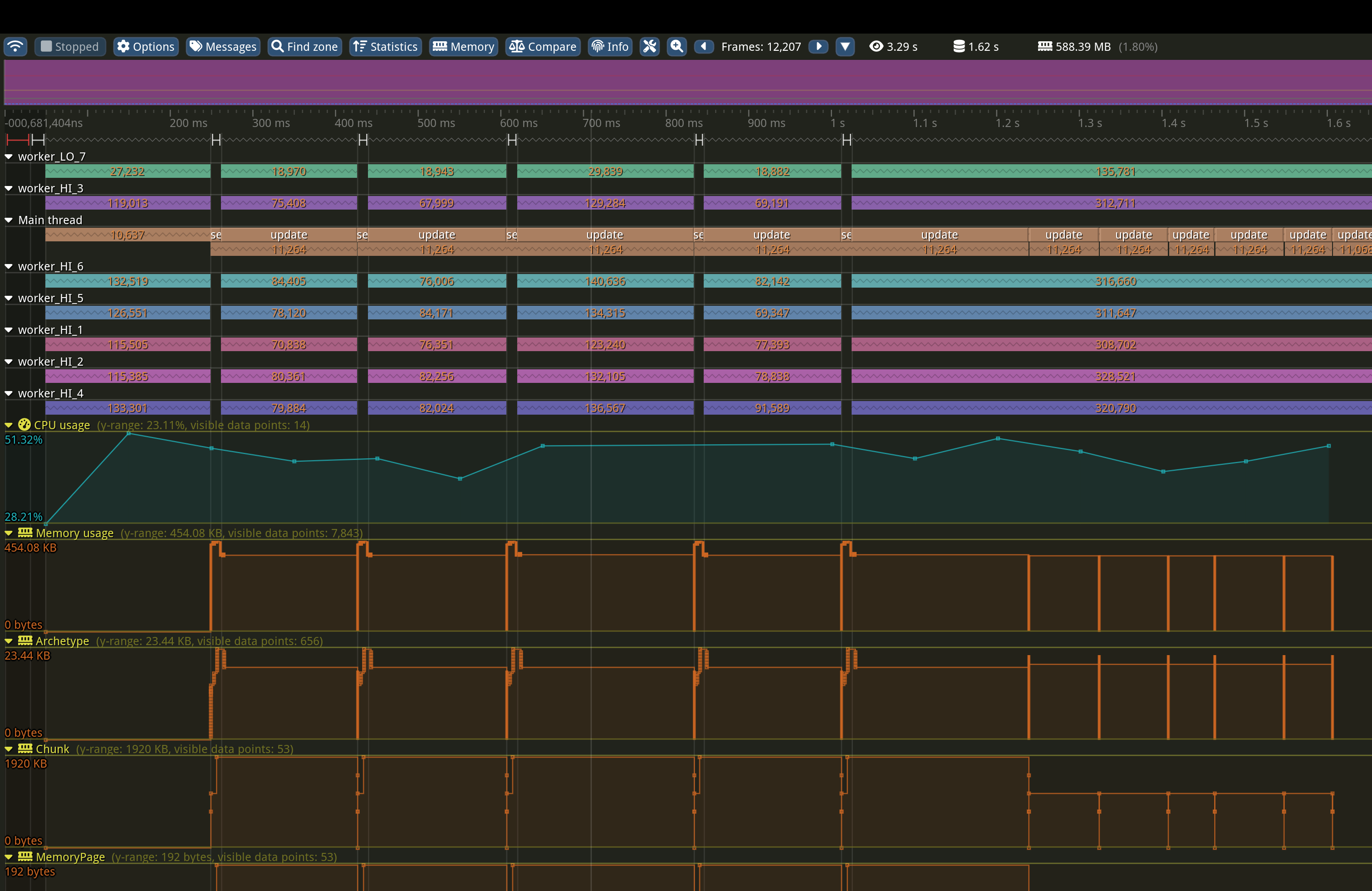
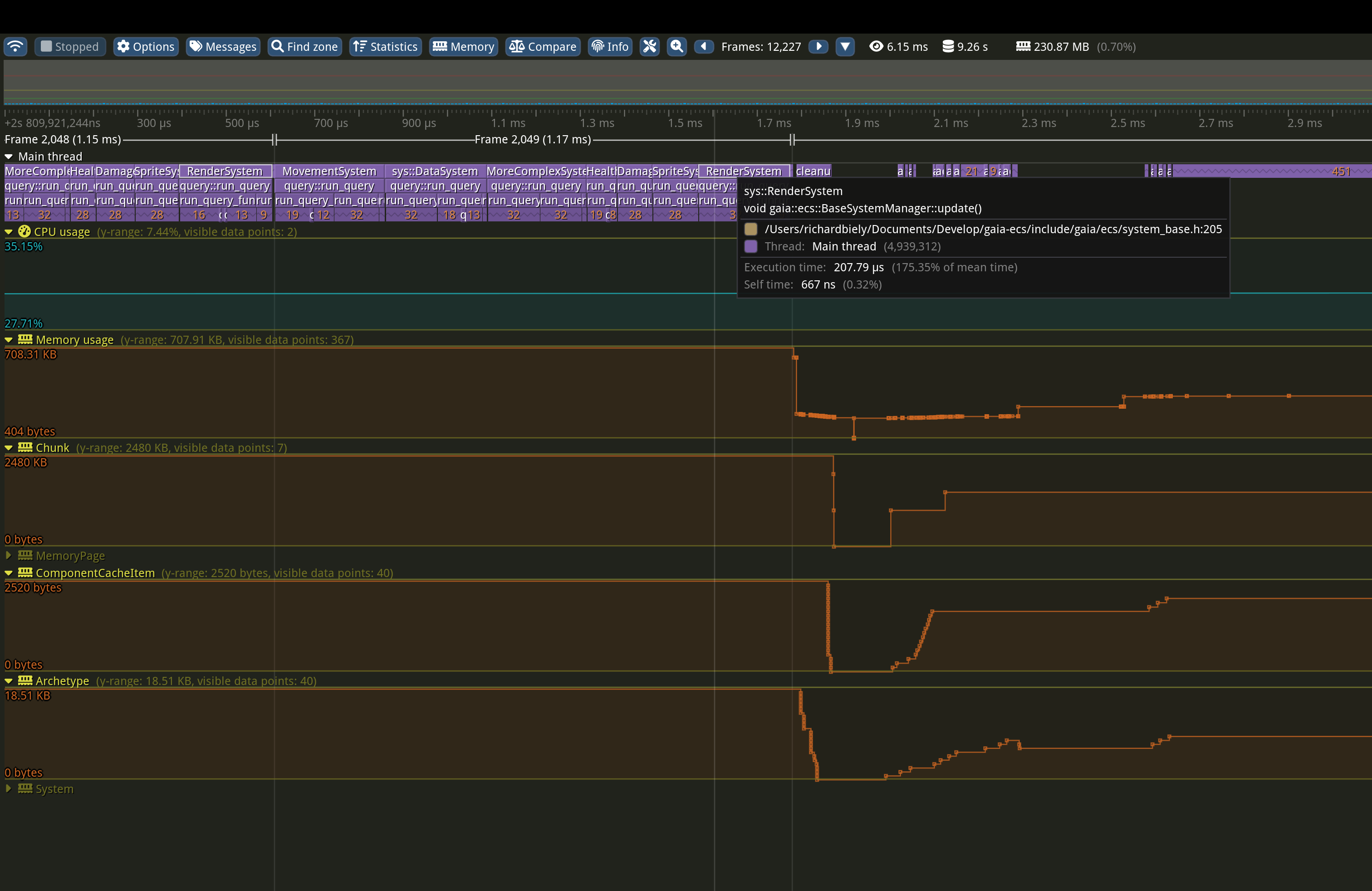
CPU profiling can be controlled via -DGAIA_PROFILER_CPU=ON/OFF (OFF by default).
Memory profiling can be controlled via -DGAIA_PROFILER_MEM=ON/OFF (OFF by default).
The Tracy profiler GUI can be built via -DGAIA_PROFILER_BUILD=ON (OFF by default). The GUI is always built as an optimized host tool in one shared repo-local build directory:
The runnable output path is stable across project builds (Debug, Release, and RelWithDebInfo, etc.):
>NOTE:
This is a low-level feature mostly targeted for maintainers. However, if paired with your own profiler code it can become a very helpful tool.
Custom profiler support can be added by overriding GAIA_PROF_* preprocessor definitions:
The project is thoroughly tested via thousands of unit tests covering essentially every feature of the framework. Benchmarking relies on picobench.
It can be controlled via -DGAIA_BUILD_UNITTEST=ON/OFF (OFF by default).
The documentation is based on doxygen. Building it manually is controlled via -DGAIA_GENERATE_DOCS=ON/OFF (OFF by default).
Doxygen reads the source headers under include/gaia and this README directly. It does not parse the generated single_include/gaia.h file.
The documentation build treats missing parameter, return-value, template-parameter, and enum-value documentation as errors.
The API reference is created in HTML format in your_build_directory/docs/html directory.
The latest version is always available online.
To see what the future holds for this project navigate here
Requests for features, PRs, suggestions, and feedback are highly appreciated.
Make sure to visit the project's discord or the discussions section here on GitHub. If necessary, you can contact me directly either via the e-mail (you can find it on my profile page) or you can visit my X.
If you find the project helpful, do not forget to leave a star. You can also support its development by becoming a sponsor, or making a donation via PayPal.
Thank you for using the project. You rock! :)
Code and documentation Copyright (c) 2021-2026 Richard Biely.
Code released under the MIT license.
 1.9.8
1.9.8